.svg)
Firewalls have a problem with WireGuard. Here’s How Netmaker Fixes It.
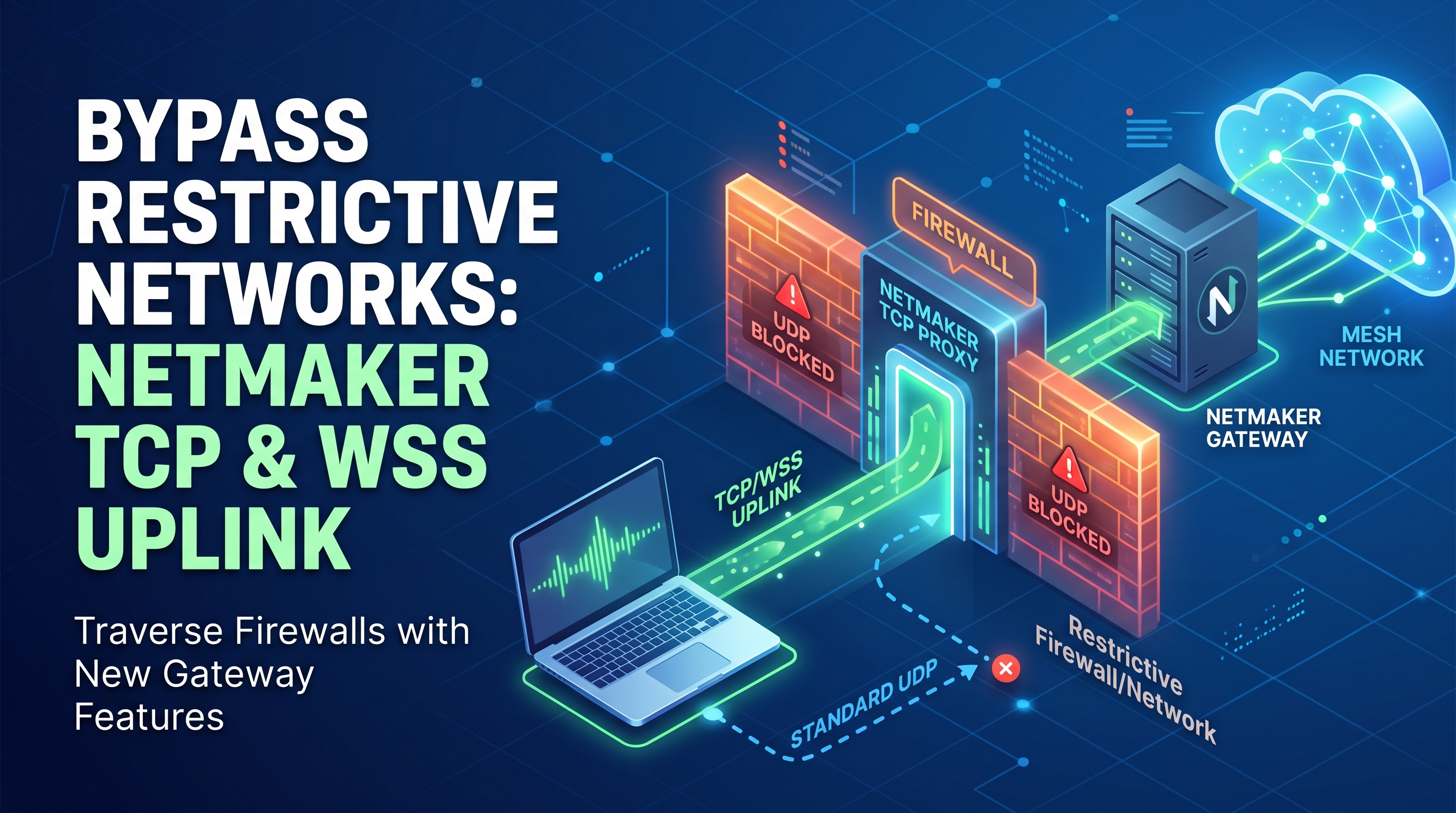

WireGuard is a masterpiece of modern networking. It’s fast, the cryptography is highly opinionated and secure, and the codebase is small enough that a single human can actually read and understand it. But WireGuard made one architectural decision that, while technically correct, collides with the messy reality of the internet: It strictly uses UDP.
In a perfect world, UDP is exactly what you want for a VPN tunnel. It avoids the dreaded "TCP meltdown" problem (where running TCP inside TCP causes exponential congestion control failures). It’s lightweight. It’s fast.
But the internet is not a perfect world. The internet is full of middleboxes, Deep Packet Inspection (DPI) engines, aggressive Carrier-Grade NATs (CGNAT), and grumpy corporate firewalls. And to many of these boxes, UDP is terrifying.
Here is a look at why WireGuard sometimes gets stuck, and how we built the TCP Proxy and WSS (WebSocket Secure) Uplink in Netmaker v1.7 to punch through the internet's most hostile environments.
The Default-Deny Problem
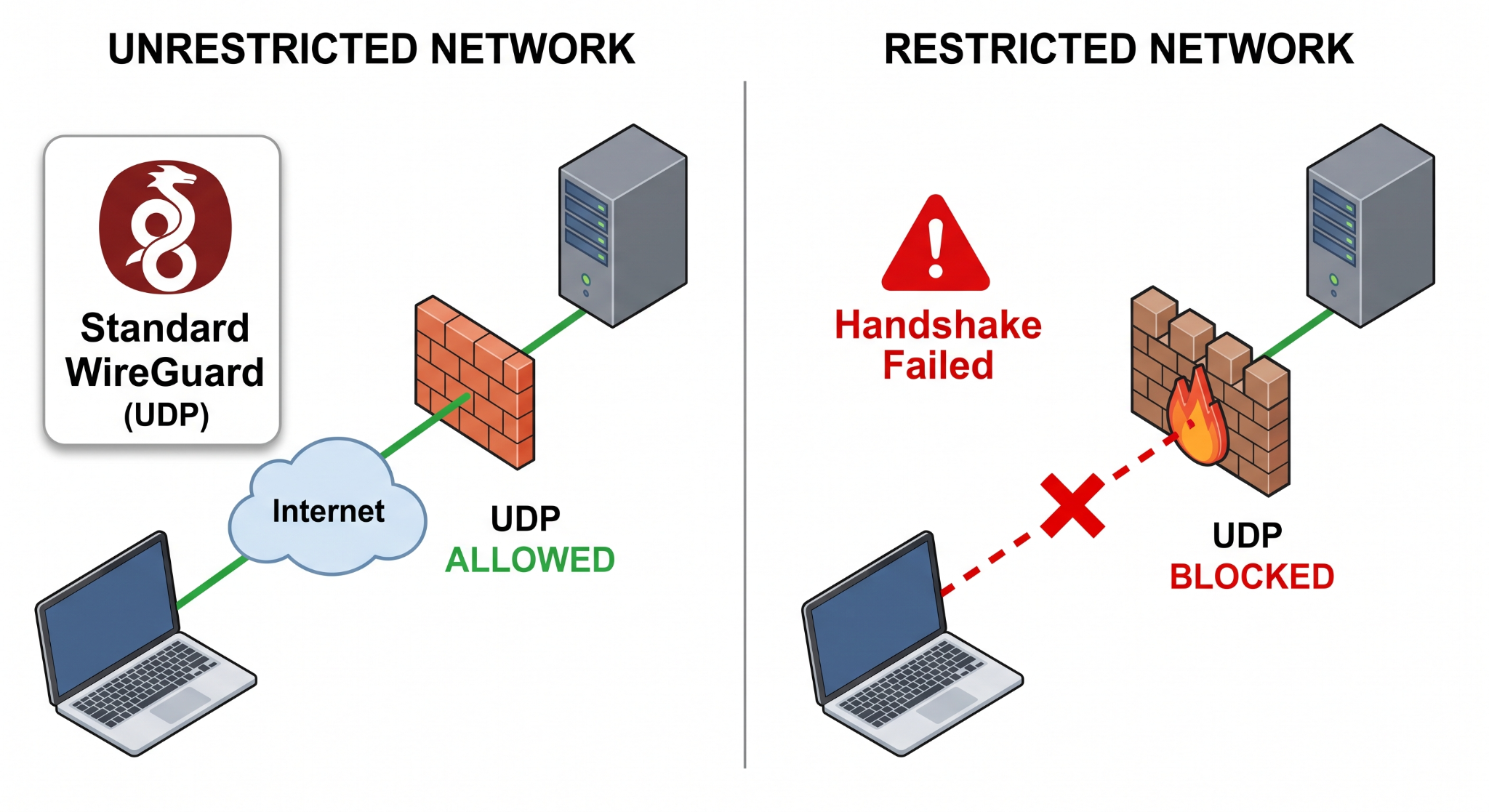
To understand why UDP fails, you have to understand the mindset of an enterprise firewall administrator. Their job is to prevent data exfiltration and block malware.
TCP is highly stateful. A firewall can see a TCP handshake, track the sequence numbers, and confidently know that a connection is legitimate. More importantly, it knows what standard web traffic looks like: TCP port 443 (HTTPS) or port 80 (HTTP). Firewalls have to let this traffic out, or the company stops functioning.
UDP, however, is connectionless. There is no handshake. Because it’s harder to track and frequently used for things like torrenting or bypassing proxies, many enterprise firewalls, hotel Wi-Fi networks, and airport routers adopt a simple rule: Default-Deny all outbound UDP.
When your WireGuard client wakes up in one of these environments and tries to initiate a handshake, the firewall quietly drops the packet. Your client retries. Dropped again. To the user, the VPN is simply "broken."
If You Can’t Beat Them, Dress Up Like Them
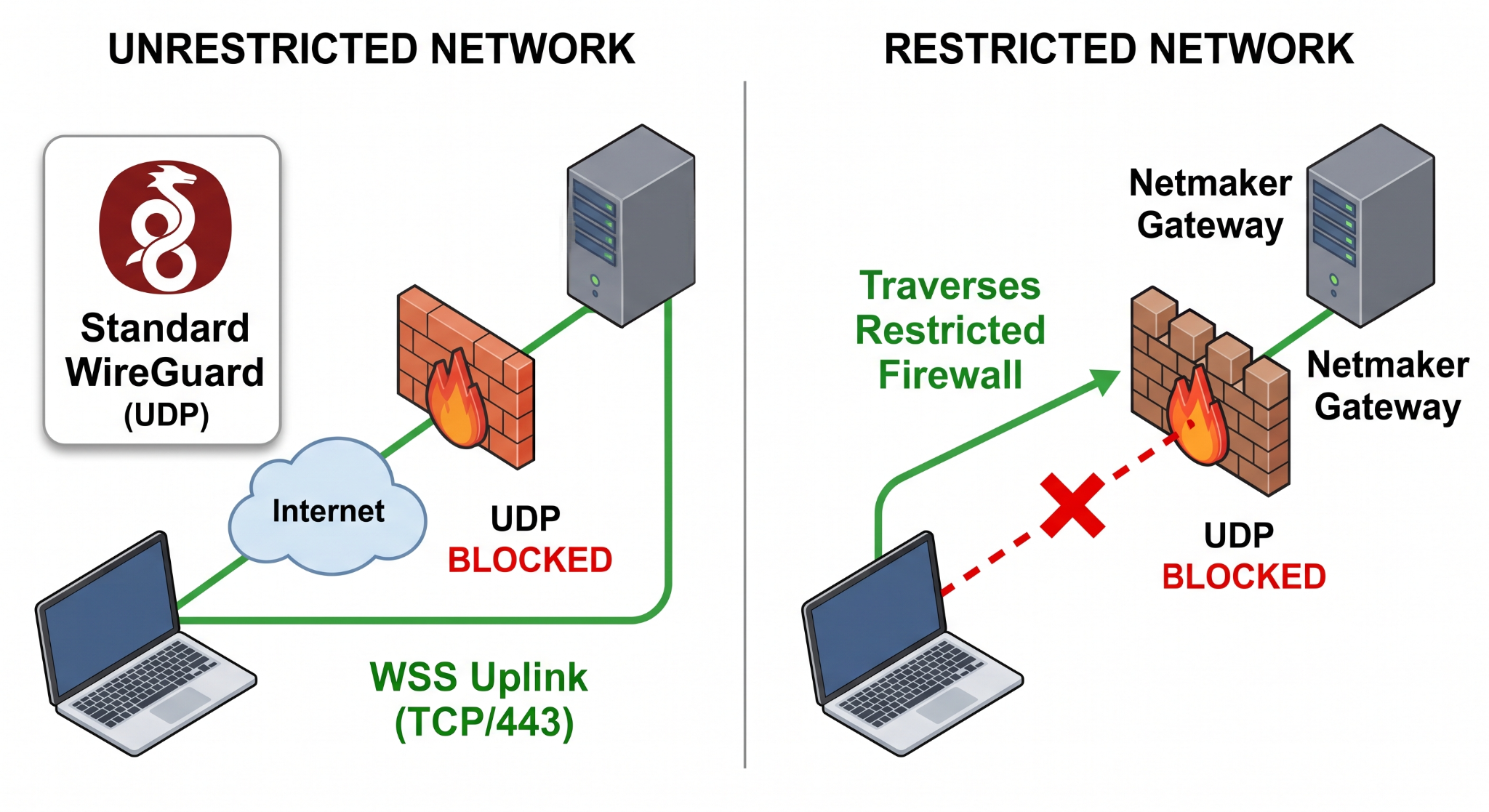
We love UDP, but a VPN that can't connect is a useless VPN. We needed a parachute for when UDP fails. The solution wasn't just to fall back to TCP, but to fall back to a specific kind of TCP that firewalls are physically incapable of blocking without taking down the modern web: WebSockets over HTTPS.
Enter the WSS (WebSocket Secure) Uplink.
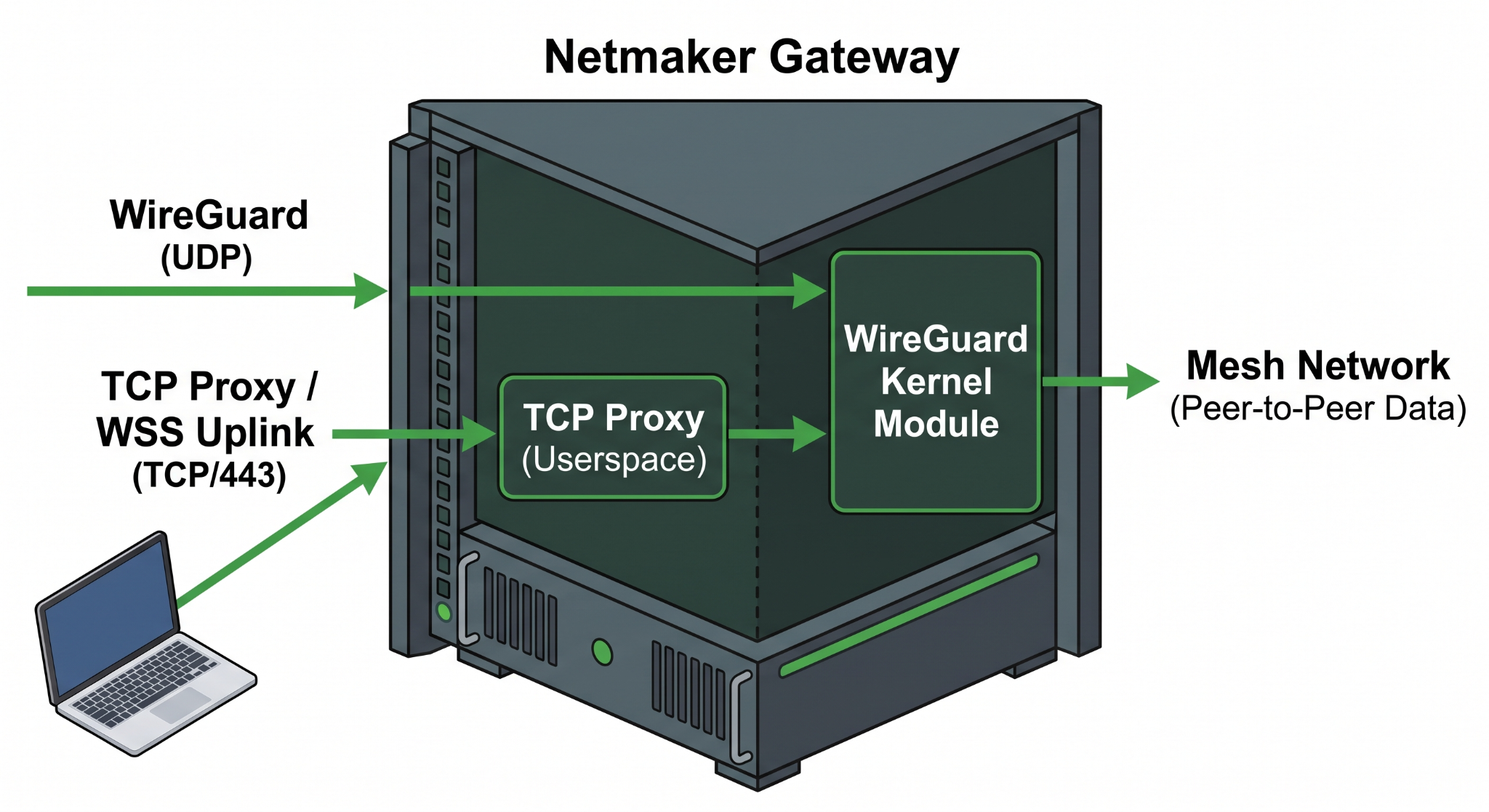
When you enable the TCP proxy in Netmaker, your gateway starts listening on a TCP port (usually 443) for WSS connections. Here is what happens when a client gets stranded behind a strict firewall:
- The Opt-In: The client realizes its UDP packets are vanishing. It opts to use the TCP uplink.
- The Disguise: The client opens a standard TLS encrypted session on TCP port 443 to the Netmaker gateway. It then initiates an HTTP/1.1 Upgrade request to transition the connection into a WebSocket.
- The Bypass: To the local firewall, this looks exactly like a user opening a secure WebSocket to a normal website (like a chat app or a live stock ticker). The DPI engine sees valid TLS on port 443 and waves it right through.
- The Encapsulation: Once the WebSocket is established, the Netclient takes its standard, encrypted WireGuard UDP packets, wraps them inside the TCP/WSS stream, and ships them to the gateway.
- The Unwrapping: The gateway strips off the WebSocket wrapper, pulls out the WireGuard packet, and routes it into your mesh network natively.
Yes, wrapping WireGuard inside WebSockets inside TLS inside TCP will add overhead and slow down your connection. But you know what's worse? Not being able to reach your production servers because you decided to work from a Marriott.
Messy Realities and External TLS
Because we know enterprise networks are weird, we didn't force a one-size-fits-all TLS implementation for the TCP proxy.
- Self-Signed: If you are just trying to get a couple of edge IoT devices connected over a hostile cellular network, the gateway can generate self-signed certificates and handle the TLS termination itself.
- Externally Terminated: If you are running Netmaker in a serious production environment, you probably already have an ingress controller, a load balancer (like HAProxy or AWS ALB), or a reverse proxy (like Nginx). You can configure the Netmaker TCP proxy to accept externally terminated TLS. Your infrastructure handles the certs (and the DPI), and hands raw WebSockets back to Netmaker.
Where This Actually Matters
This isn't just a party trick; it fundamentally changes where you can deploy a mesh network.
- The Consultant's Laptop: You are at a client site. Their IT policy blocks all non-HTTP outbound traffic. The WSS uplink gets you back to your own internal tools seamlessly.
- Aggressive CGNAT: Cellular providers love to aggressively prune idle connections to save memory on their NAT boxes. UDP states get flushed fast, causing WireGuard to constantly flap. A stateful TCP connection stays pinned open, keeping remote IoT sensors permanently reachable.
- The Draconian Guest Wi-Fi: We’ve all been there. The WSS uplink guarantees you can work securely from literally anywhere.
WireGuard’s UDP foundation makes Netmaker incredibly fast. But the WSS Uplink makes it unstoppable.





.svg)