.svg)
Enforcing Device Posture: Inside Netmaker’s New MDM Integration


Introduction
Mobile Device Management (MDM) is a security framework that enables IT administrators to monitor, manage, and secure mobile endpoints such as laptops, smartphones, and tablets. By enforcing compliance policies including disk encryption, required operating system updates, and baseline security configurations, MDM ensures that only trusted and policy-compliant devices are permitted to access organizational resources.
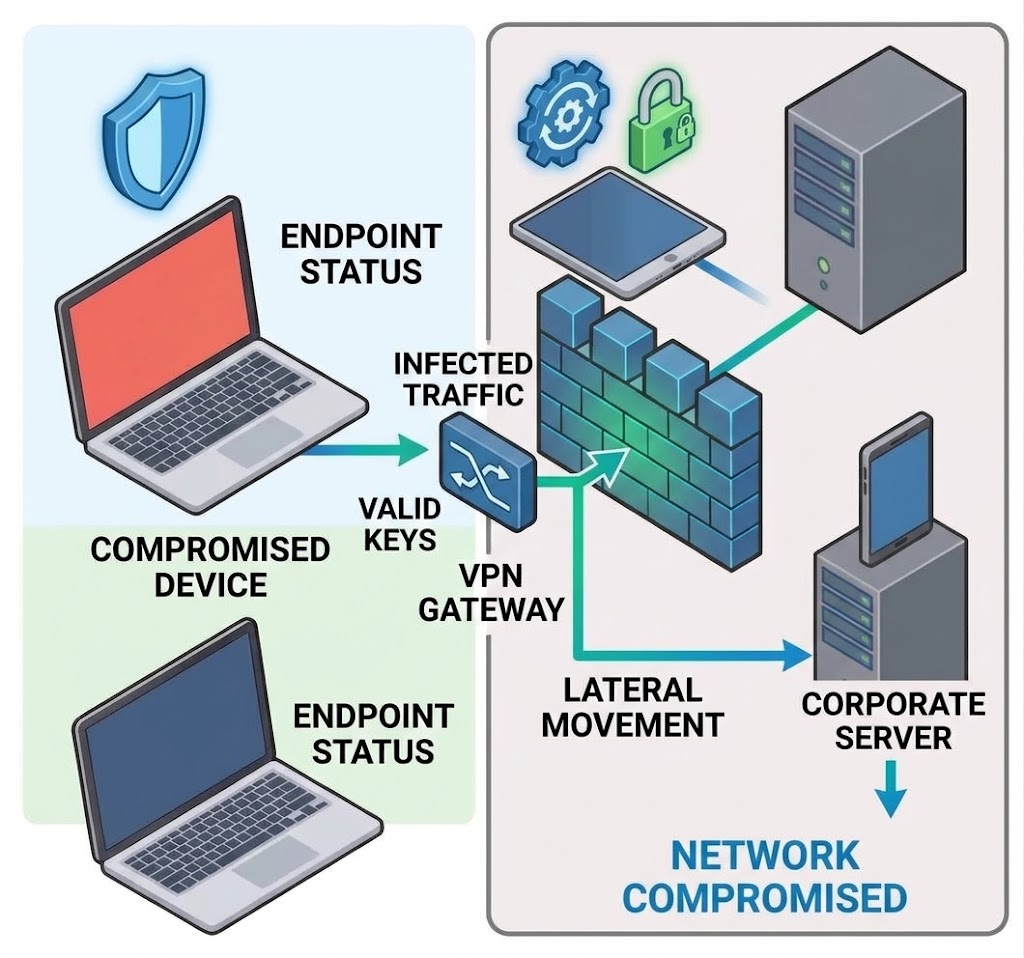
In a true Zero Trust architecture, verifying a user's identity is only the first step. If an authenticated user logs into your network from a compromised, unpatched, or personally owned device, your entire infrastructure is at risk.
To bridge the gap between network access and endpoint compliance, Netmaker v1.7.0 introduces native Mobile Device Management (MDM) Integrations for Pro users. This new feature allows you to integrate your device compliance policies at the network edge, to help ensure that only company-managed and fully compliant devices can access your resources.
Here is a look at how Netmaker’s new MDM integration works and how it strengthens your security posture.
The Value of MDM-Driven Network Access
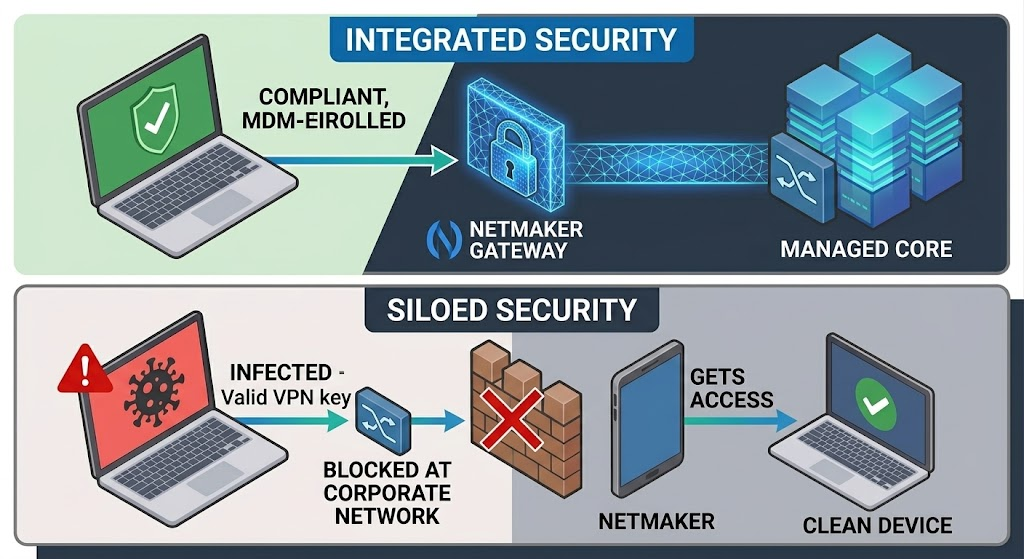
Traditionally, IT teams have had to manage VPN access and MDM compliance in separate silos. A device might fall out of compliance in your MDM platform, perhaps by disabling disk encryption, missing a critical OS update, or removing management profiles, but still retain its valid VPN keys.
Netmaker v1.7.0 changes this by directly tying your platform into to MDM compliance. By continuously querying your MDM platform, Netmaker recieves the enrollment status and compliance state of a device so that you know if it should have access to the network. If a device drops out of compliance, an administrator can revoke access.
Supported Providers
We have partnered with the industry’s leading device management platforms to ensure integration into your existing IT workflows. Out of the box, Netmaker v1.7.0 supports:
- Microsoft Intune
- Jamf
- JumpCloud
- Iru
Enforcing Posture Policies
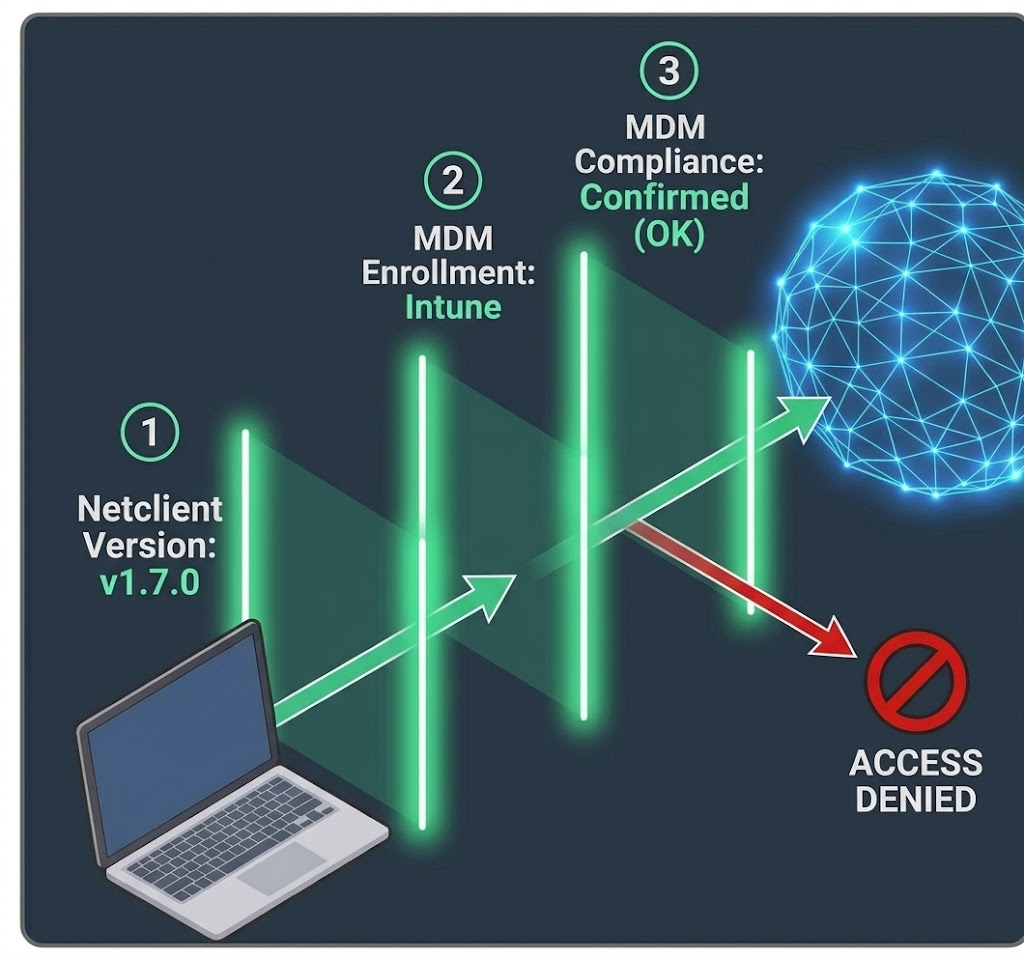
The MDM integration does not replace your existing Netmaker device posture checks, it supercharges them.
You can now stack MDM enrollment and compliance checks right alongside your existing Netmaker posture policies. For example, you can create a policy that requires a device to:
- Be running a specific version of the Netclient.
- Be fully enrolled in Microsoft Intune.
- Be marked as "Compliant" by your Intune compliance policies.
If any of these conditions fail, the device an administrator can deny access to the mesh until the issue is remediated.
The TL;DR
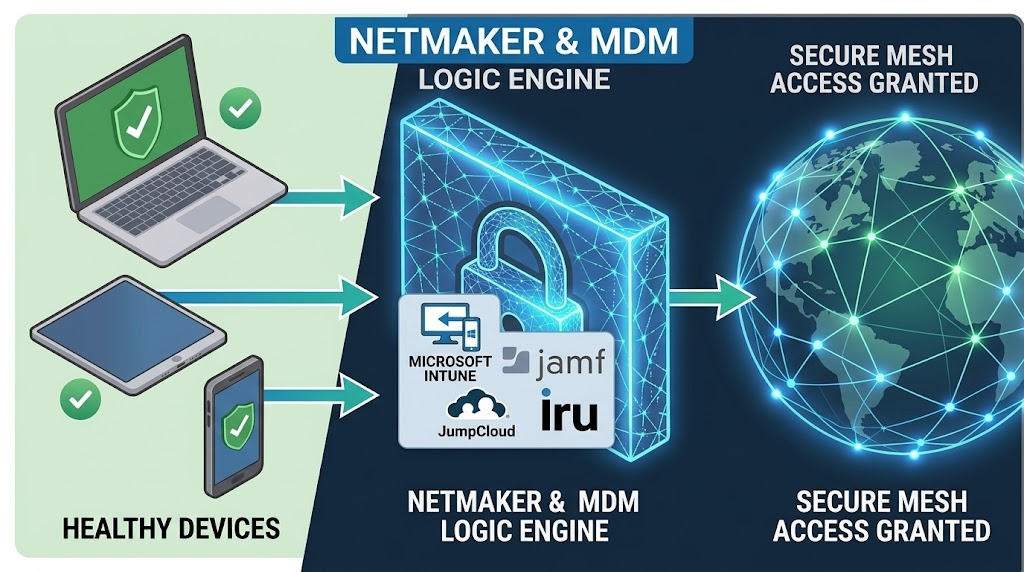
Netmaker v1.7.0 introduces MDM integration for Pro users, enabling network access based on device compliance status checked against providers like Microsoft Intune, Jamf, JumpCloud, and Iru. The feature supports flexible device matching and can be fully managed via API.




.svg)